At a Glance
You finally bought a high-quality display, but the image looks dull and fuzzy. Most people unbox their gear, point it at a wall, and wonder why it does not look like the cinema. It is frustrating to spend money on a home theater setup only to have windows or white walls wash out every scene.
Getting the placement and settings right is the only way to get your money's worth. A poorly positioned unit leads to distorted shapes and flat colors that pull you out of the story. At A&B TV, we help you master the technical details so your entertainment space performs at its peak every single time you dim the lights.
This guide explores how to calculate throw distance and manage cables for a professional look. We will also walk through the best Epson display settings to achieve perfect color accuracy in any room. Learning the right way to calibrate and mount an Epson projector makes your movies look sharp and vibrant.
Plan Your Dream Theater
Our experts help you choose the right screens and mounts for a perfect installation.
Epson Projector CatalogPlanning the Perfect Home Theater Environment
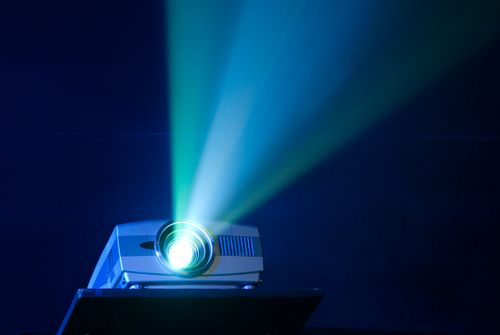
Before you grab a screwdriver, you need to look at your room. Light is the biggest enemy of a clear image. If your room has many windows, a standard screen might not cut it. We often recommend an ambient light rejection screen for spaces that cannot be made perfectly dark. These screens use special textures to reflect light from the projector toward your eyes while absorbing light from windows or lamps.
Wall space and room size dictate where your gear goes. You must measure the distance between the lens and the wall to find the throw distance for your desired screen size. If the unit is too close, the image is too small. If it is too far, you might lose brightness. Check the manual for the specific throw ratio of your model to find the sweet spot.
Airflow is something many people forget until it is too late. You should never tuck your unit into a tight cubby or behind a stack of books. Poor ventilation causes the internal fans to run loud and can lead to overheating. Keep the unit away from high-foot-traffic paths where people might bump it or block the lens mid-movie. High lumen output units generate significant heat, so give them plenty of room to breathe.
How to Safely Position and Secure Your Display
Choosing between a shelf and a ceiling mount installation changes the whole vibe of the room. A tabletop setup is easy to move, but it is prone to being bumped by kids or pets. If you want a permanent look, mounting it to the ceiling is the way to go. This keeps the unit out of the way and maintains a consistent image geometry.
When you mount to the ceiling, you must find the ceiling joists. Drywall alone cannot support the weight of a heavy 4K unit. Use a stud finder and a VESA-compatible mount that matches the hole pattern on the bottom of your machine. During ceiling mount installation, we suggest using blue painter's tape to mark the exact footprint of your screen on the wall before drilling a single hole. This helps you align the lens perfectly with the center of the screen.
Leveling is the final step for a steady image. If the unit tilts even a tiny bit, the top of the picture will be wider than the bottom. Use a small spirit level on top of the chassis to make sure it is perfectly flat. Physical stability prevents you from having to use digital fixes that can soften the look of your favorite films.
Comparing Display Mounting and Placement
| Feature | Ceiling Mount | Dedicated Shelving | Tabletop Placement |
|---|---|---|---|
| Installation Difficulty | High | Medium | Low |
| Cable Management | Complex (In-Wall) | Moderate | Simple |
| Visual Aesthetics | Professional/Hidden | Integrated | Casual |
| Risk of Bumps | Lowest | Low | High |
| Ideal Room Type | Dedicated Theater | Multipurpose Room | Temporary Setup |
Cable Management for a Clean Theater Setup
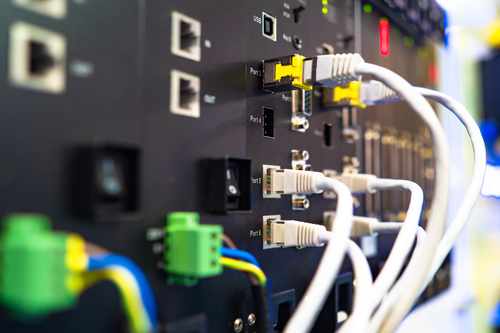
Messy wires hanging from the ceiling ruin a high-end look. You need to plan your path for the HDMI and power cables before you finish the job. We suggest running wires through a plastic conduit or behind the drywall for a clean finish. Installing an HDMI faceplate near the floor makes it easy to plug in your gaming consoles or Blu-ray players without seeing the long run of wire.
Audio is just as important as the picture. Most units have tiny, weak speakers that do not sound good. You should connect your sources to an AV receiver or a high-quality soundbar instead. This allows you to run a single HDMI cable to the display while your surround sound speakers handle the heavy lifting. It makes the wiring much simpler and improves the theater experience.
Always test your cables before you zip-tie everything into place. Plug in your 4K source and make sure the signal is stable. Sometimes long HDMI runs need an active cable to maintain the data rate. Verifying this early saves you from taking the mount apart later because of a flickering screen or a black image.
Optimizing Epson Display Settings for Movies
The presets that come on your machine are a good starting point. For most dark rooms, the Natural or Cinema modes offer the best color accuracy right away. These modes avoid the harsh blue tints found in office settings. If you are watching a game during the day with the curtains open, the Dynamic mode uses the full lumen output to fight off glare.
Contrast and brightness need a light touch. You want blacks to look deep, not grey, but you do not want to lose detail in the shadows. Adjust the contrast ratio until white shirts or clouds still show texture. For skin tones, look at the color temperature. If people look too orange or too cold, nudge the slider until they look natural.
Turn off the extra digital processing features. Settings like noise reduction or frame interpolation can make 4K movies look like a cheap soap opera. These "helpers" often blur the fine details that a 4K projector calibration is meant to highlight. Letting the raw signal shine through usually results in a more film-like texture that directors intended.
Advanced Adjustments for Crisp Screen Geometry

Once the unit is mounted, you need to square the image to the frame. Most high-end models offer a mechanical lens shift feature. This allows you to move the entire lens assembly up, down, or sideways. Using physical shift is much better than moving the unit itself. It keeps the light path straight and prevents the edges of the image from becoming blurry.
You should avoid digital keystone correction whenever possible. Digital keystoning works by turning off pixels to "reshape" the image into a square. This reduces the total pixel resolution and can create jagged edges on straight lines. Always try to get the unit physically level and use the mechanical zoom and focus first. If your model has lens memory, save your settings so you can switch between movie aspect ratios with one button.
Focusing is easier with two people. Have one person stand at the screen while the other turns the focus ring. Look for the individual pixels or the "screen door" effect to know you have hit the sharpest point. Proper calibration of home theater systems ensures that every bit of detail from your 4K discs makes it to your eyes without digital artifacts.
Epson Projector Pros and Cons for Home Theaters
Choosing the right display technology involves balancing brightness needs with your desire for deep black levels. These units offer incredible flexibility for various room sizes, but they do require some maintenance to stay in top shape.
Pros
Offers high brightness for rooms with some light.
Provides excellent color accuracy for cinema enthusiasts.
Features mechanical lens shift on many mid-to-high-tier models.
Creates a massive cinematic image for a lower cost than huge TVs.
Cons
Requires regular air filter cleaning to prevent overheating.
Can lose brightness over time as the lamp ages.
Occupies physical space in the room or on the ceiling.
Experience True Cinematic Quality at A&B TV
Setting up a theater takes more than just plugging in a cord. You have to account for room light, calculate the right distances, and fine-tune the settings to get a professional result. By focusing on physical placement over digital fixes, you keep the image sharp and the colors true to life.
Visit A&B TV to see these units in action and find the right gear for your home. As an independent retailer, we offer personalized help that big-box stores cannot match. Our team provides expert showroom guidance and professional installation to make sure your system works perfectly from day one. Stop by our store today to start building your dream theater with local experts who care about your experience.
Frequently Asked Questions about Epson Projector
You should multiply the width of your screen by the throw ratio listed in your specific model's manual. This calculation determines exactly how many feet back the lens must sit to fill the frame without spilling onto the walls.
The Natural or Cinema modes are the best choices because they are calibrated for high color accuracy and warmer tones. These settings replicate the look of a professional movie theater by avoiding the oversaturated colors found in brighter modes.
Yes, you can place the unit on a stable table or a dedicated shelf if you prefer a non-permanent installation. You just need to make sure the surface is level and that the unit will not be moved accidentally during use.
You should use the mechanical lens shift to move the image rather than using digital keystone correction. Physical lens adjustment keeps the full pixel resolution intact and prevents the blurriness associated with digital reshaping.
You need a high-speed HDMI cable rated for at least 18Gbps to handle 4K signals and HDR content. If your receiver is older, you might also need an optical audio cable or an upgraded 4K-capable HDMI switcher.
You should check and clean the air filter every 3 to 6 months depending on how much dust is in your home. The lamp typically needs replacement after 3,000 to 5,000 hours of use, though many modern units use long-life modes to extend this time.
Why Trust A&B TV?
With decades of experience in performance audio and video solutions, A&B TV has been a trusted name in the industry since 1967. As a family-owned and operated business, we take pride in offering competitive prices, expert guidance, and high-quality installations. Our 10,000 sq. ft. showroom features the largest selection of performance televisions in Central Texas, along with dedicated listening rooms where you can experience audio setups before making a decision. Backed by a knowledgeable team with over 300 years of combined experience, we ensure that every customer receives personalized service and expert advice. Visit DAVE and see why we’ve been Austin’s go-to A/V destination for over five decades!
Shop for Epson Projectors in Austin, TX
Experience the best in home entertainment by visiting A&B TV’s today! Whether you're looking for a simple upgrade or a full home theater setup, our expert team is here to guide you every step of the way. Stop by today to see and hear the difference for yourself! Can’t make it in? Visit our website to browse our online catalog, explore exclusive promotions, and learn more about our custom design and installation services.